
Help Center
A Cleaner, More Focused Experience
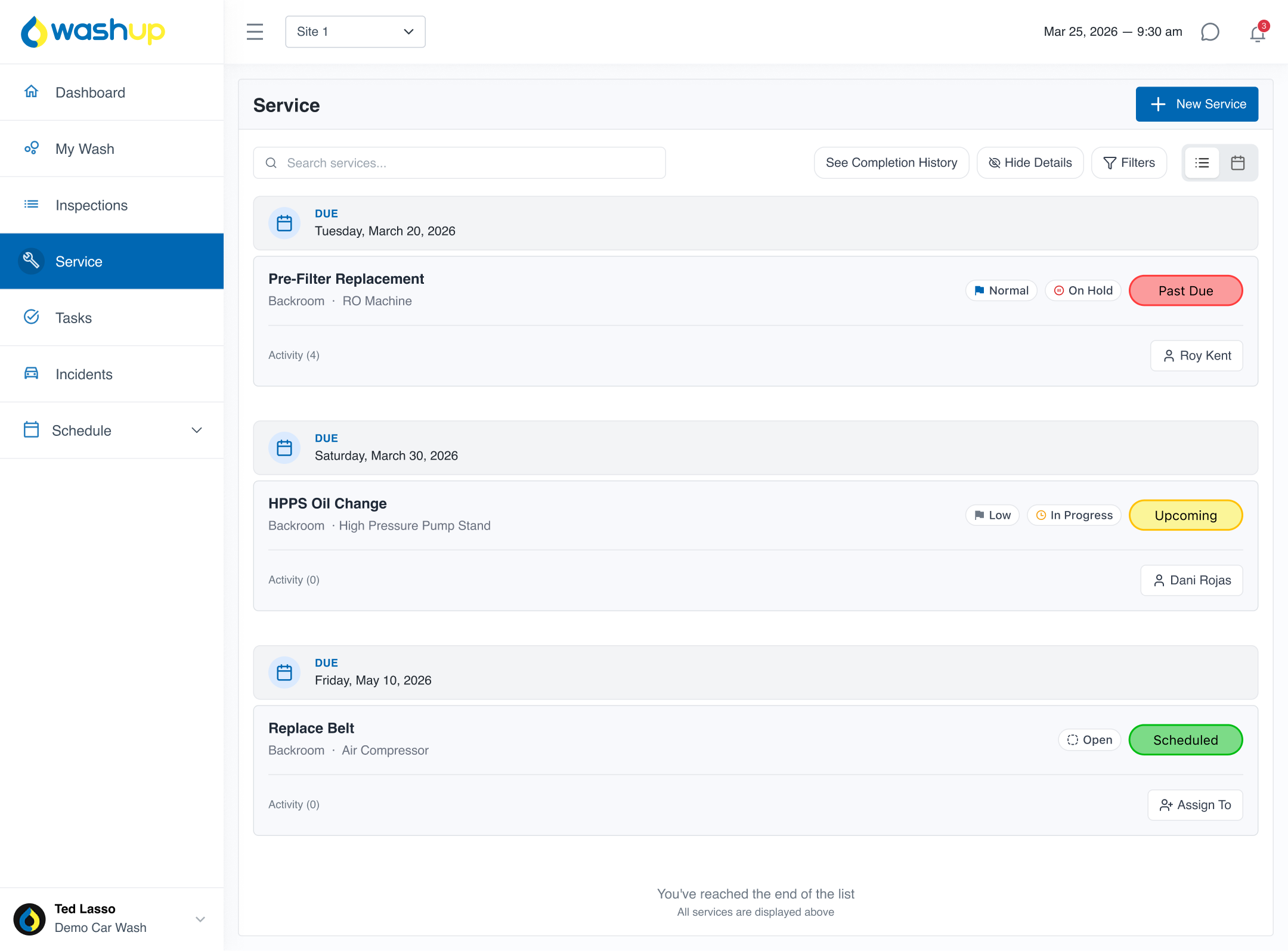
We’ve completely refreshed the Services experience across both list view and calendar view.
The layout is now cleaner, more organized, and easier to navigate so your team can quickly understand what needs to be done.
One of the biggest improvements is how services are displayed.
Instead of showing every scheduled instance, WashUp now shows only the next upcoming instance of each service.
This helps:
We’ve added more powerful filtering so you can quickly find exactly what you’re looking for.
You can now filter services by:
This makes it much easier to manage operations across multiple locations and teams.
We’ve added a new layer of control with progress tracking and priority statuses.
Progress options:
Priority options:
This gives your team clear direction on:

Scheduling services is now more flexible and more accurate.
We’ve improved:
These updates help ensure services are completed at the right time without creating confusion or extra work for your team.

You can now require specific actions before a service can be completed.
Available completion requirements:
This helps ensure:

We’ve made it easier for your team to understand exactly what they’re working on.
This reduces confusion and helps your team complete services correctly the first time.

Managing services is now quicker and more flexible.
You can now:
This makes it easier to share information with team members, vendors, or anyone outside of WashUp.
We’ve updated notifications so your team stays informed without needing to constantly check the app.
Users can now be notified:
This helps keep everyone aligned and on schedule.
Just as you could before, but now improved and with new features you can now view a full history of each service.
See:
This gives you better visibility into your operations and helps improve accountability across your team.

This update is all about helping you:
This is one of the biggest updates we’ve made to Services. Everything was built to make it simpler for your team to know what to do, when to do it, and how to do it — without confusion. If you have any questions or want help getting everything set up, feel free to reach out. We’re happy to help.